
 Control Techniques
 Estun Automation
 CODESYS
 Crevis
 Nexcom / Nexcobot
 Leroy-Somer
 Servo Systems
 AC Drive + Motor
 DC Drives
 Smart PLC
 Panel PC / IPC
 Remote I/O
CNC Router Control System
By the ONX Control engineering team · Last updated:
In short
A CNC router is a gantry CNC machine that cuts and carves sheet and block materials such as wood, MDF, particle board, foam, composites and marble with a high-speed spindle. The material is held on a vacuum table, the gantry moves in X and Y and the spindle in Z; the path comes from G-code produced by CAM software. Routers are used to cut doors, panels and sofa frames in furniture production and to machine 3D surfaces in foam and composites. ONX Control builds CNC router control with CODESYS, EtherCAT servo drives and X CNC Library.
How it works
On a CNC router the job starts in CAM software: the part is turned from a drawing into tool paths and saved as G-code. The controller reads the G-code line by line and turns linear (G1) and circular (G2/G3) moves into a path the axes follow together. On furniture parts the path is made of thousands of short line segments; so as not to stop at the end of each, the controller plans speed by looking ahead (look-ahead), slowing at corners without exceeding the axes' acceleration and jerk limits and speeding up on straight runs. Cut quality and job time depend largely on this velocity plan.
The material is held by the vacuum table. The table is divided into zones; opening only the zones needed for the sheet size concentrates vacuum under the part and stops small parts from shifting. The choice can be made by the operator or automatically from the material size. Spindle speed and cooling, dust extraction, referencing (homing) and software limits are also the controller's job; tool length and table surface are found with a measuring sensor on the Z axis and the work zero is set automatically.
On machines with an automatic tool changer the tools sit in a magazine. When a tool change comes up in the G-code, the spindle stops, moves to the magazine position, drops the tool, picks up the new one and Z compensation from the tool length table is applied; when the tool change motion is defined as a sub G-code program it is easily adapted to each machine. On dual-station machines the operator loads a new sheet on one table while machining runs on the other, so loading time stays inside machining time. On long jobs, resuming from the stop line after an interruption and showing an estimated finish time matter to the operator.
-
1
CAM and G-code
The part is turned into tool paths in CAM software; G-code is loaded to the machine over the network or USB.
-
2
Hold-down and zero
The sheet is placed on the vacuum table, the needed zones are opened, and work zero and tool length are measured.
-
3
Machining
The controller runs the G-code with look-ahead velocity planning; tool changes come from the magazine automatically.
-
4
Unload and log
The finished sheet is removed and machining starts on the other table on dual-station machines; job time and count are logged.
Critical parameters
| Parameter | Why it matters | Typical range / ONX field data |
|---|---|---|
| Axis strokes and table size | Set the largest sheet that can be machined and the gantry mass; servo sizing starts here. | Defined per project |
| Cutting and rapid speed | Set job time; how much speed drops at corners depends on axis acceleration and jerk limits. | Defined per project |
| Look-ahead and corner tolerance | Set how much the path is smoothed on short-segment G-code and the surface quality. | Defined per project |
| Vacuum zones | The zones opened for the sheet size decide whether small parts shift and how vacuum is spread. | Defined per project |
| Tool change | Number of magazine positions, tool length measurement and change time; affects the cycle on multi-tool furniture jobs. | Defined per project |
| Material | Wood, MDF, foam, composite or marble; spindle speed, feed and dust extraction needs change with the material. | Defined per project |
ONX architecture
In the ONX architecture CNC router control is built with CODESYS Control RTE running on an industrial PC or panel PC. The X, Y (Y1 and Y2 on a dual-motor gantry) and Z axes run on one time base with EtherCAT servo drives; G-code interpretation, interpolation, look-ahead velocity planning and tool compensation are done by X CNC Library. The spindle runs on an inverter, and the vacuum pump, dust extraction and tool magazine are driven through I/O.
The operator interface runs on a panel PC: G-code loading and preview, 3D simulation, work zero and offset setting, vacuum zone selection, manual jogging, the tool table and alarm history are managed there. Production records are kept in a database and the estimated finish time is calculated from past jobs. Service and software updates can be done over remote access.

X CNC Library
G-code, interpolation, look-ahead velocity planning, tool compensation and resume from the stop line.

Panel PC
Operator interface, G-code preview, 3D simulation and production records.
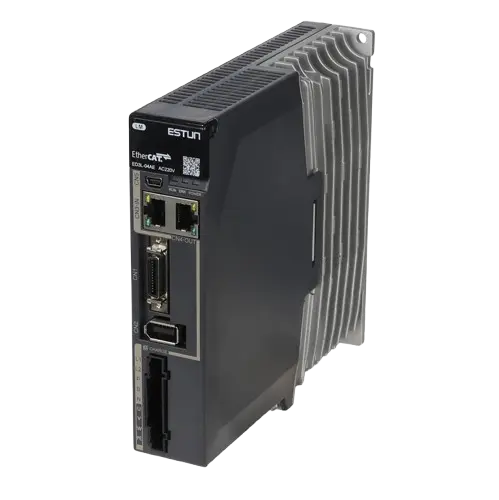

Servo motors and sizing
Motor and gearbox selection from gantry mass, rack or ball screw ratio and acceleration target.
Remote I/O
EtherCAT I/O for vacuum zone valves, tool magazine, measuring sensor, dust extraction and safety signals.
Field reference
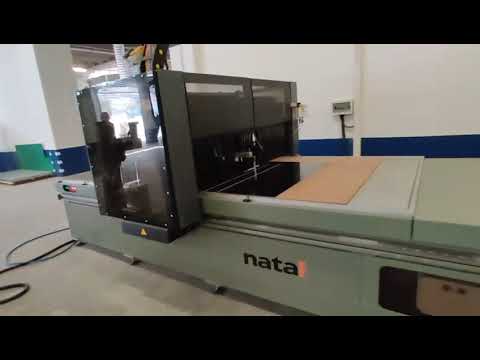
ONX Control does the control of CNC router series for several machine builders. They include routers and 4-axis foam CNC machines installed at furniture and foam manufacturers in İnegöl and Bursa, 3-axis dual-station routers with Estun servo drives, and 3-axis machines also shipped to Egypt.
In the second version of one router series the operator interface was rewritten: 3D simulation, automatic vacuum zoning from the material size, an estimated finish time from production records and tool changes run by a sub G-code program were added. The videos below show field footage of these machines.

Retrofit scenario
A typical picture on older CNC routers: a DSP-based or closed control board, stepper motors missing steps, long jobs that stop at every corner of short-segment G-code, vacuum valves opened and closed by hand and jobs that have to restart from the beginning after an interruption. In a retrofit the gantry, spindle and table are kept; the axes move to EtherCAT servos and control moves to CODESYS and X CNC Library.
- Surveying the existing mechanics, motors, spindle and vacuum system
- Servo sizing for the gantry and Z axis; dual-motor Y axis sync
- Testing G-code compatibility with existing CAM output
- Connecting vacuum zones, tool magazine and measuring sensor to the new system
- Comparing surface quality and job time on sample parts
X CNC and CNC machines + camera-based alignment
The position and angle of a sheet or part placed anywhere on the table are found by camera and passed to X CNC Library's work coordinate system (origin and rotation), shortening manual referencing. On glass and wood, the sheet edge and defective areas can become inputs to the cutting or painting plan. The machined part's dimensions can be checked before it leaves the machine.
Frequently asked questions
Which G-codes does the CNC router control run?
Standard G-code from CAM software: G0, G1, G2/G3, plane selection, tool compensation, tool change and subprograms. Machine-specific commands (vacuum zones, dust extraction and so on) are defined as M codes.
Why does look-ahead matter?
On furniture and 3D foam jobs the G-code is made of thousands of short line segments. If the controller does not look ahead it slows at the end of each segment; the machine shakes and the job takes longer. With look-ahead, speed is planned along the path and the machine slows only at corners that really need it.
What does vacuum table zoning do?
When the sheet does not cover the whole table, air leaks through the open zones and the part is not held well enough. When only the zones under the sheet are opened, vacuum is concentrated on the part and small parts do not shift during cutting.
How is a dual-motor gantry kept in sync?
The Y1 and Y2 motors take the same target position in the same EtherCAT cycle; during referencing, squareness of the gantry is set with separate home sensors and the difference between the two axes is monitored. If the difference exceeds its limit the machine stops.
What information is needed for a quote?
Table size and axis strokes, number of axes, the materials to be machined, tool magazine and vacuum system details, the CAM software used and the existing control system are enough for a first assessment.
Discuss your CNC router control with our engineers
Share your machine's dimensions, axis layout and the materials you machine; we will come back with servo sizing and a control architecture proposal.