
 Control Techniques
 Estun Automation
 CODESYS
 Crevis
 Nexcom / Nexcobot
 Leroy-Somer
 Servo Systems
 AC Drive + Motor
 DC Drives
 Smart PLC
 Panel PC / IPC
 Remote I/O
X Motion Library
Power, positioning, jog, homing, electronic gearing and master-based profile blocks for CiA402 servo axes.
In short
X Motion Library is an axis control library developed by ONX Control for machines based on CODESYS Control RTE. It connects CiA402 servo drives on EtherCAT with automatic PDO mapping and provides drive power sequencing, jerk-limited S-curve positioning, jog, homing, stop, electronic gearing and master-distance based profiles through a uniform set of function blocks.
Servo drive control in cyclic synchronous position (mode 8).
6040h, 6041h, 6060h, 6061h, 6064h, 607Ah need no manual mapping.
Power, positioning, jog, homing, gearing, master-based profile…
Test with the same application software without drive or EtherCAT.
Function blocks
All blocks work through the same X_Axis data structure; input and output names are documented as tooltips in CODESYS.
Axis and power
-
Axis
Connects the EtherCAT slave and maps CiA402 PDOs automatically; produces position, velocity, acceleration, jerk, following error and continuous position.
Numerator · DeNumerator · xVirtualMode · Modulo -
X_Power
CiA402 power sequence; quick stop, automatic fault reset, communication loss supervision.
Enable · QuickStop · Reset · Mode_Of_Operation -
AxisRatio
Calculates the axis scale from encoder, gearbox and unit ratios.
Pulse · Gear · Unit · InvertDirection -
X_SetPos
Sets the axis's current position to a new value.
SetPosVal
Single-axis motion
-
X_MoveAbsolute
Absolute positioning with a jerk-limited S-curve; override during motion.
MaxVelocity · Acc · Dec · Jerk · VelocityOverride · Direction -
X_Jog
Forward/reverse jog; ramps in ms, S-ramp inside.
JogForward · JogReverse · Jog_Speed -
X_Stop
Controlled stop within a given time.
Deceleration [ms] -
X_Homing
Referencing with switch and index search; home offset is passed to the drive.
HomeSwitch · HomeSpeed · Home_Back_Speed · Index_Serach
Multi-axis and synchronization
-
X_MoveAbsolute_Path
Gives targets to three axes with common velocity, acceleration and jerk.
TargetPosition1..3 · Direction1..3 -
X_GearIn
Electronic gearing; ramped engage/disengage, virtual master.
gear_ratio · Acceleration · gear_out · Vir_Master_En -
X_FollowPos
Applies an external position reference (e.g. an interpolator) to the axis and reports the following error.
pos_ref · follow_err_in_unit -
X_FollowProfileViaMaster
Moves the slave with an S profile tied to the master's travel.
SlaveDistance · MasterDistance · MotionPhase
The CiA402 power sequence in one block
When Enable is set, X_Power brings the drive to 'Operation enabled' following the CiA402 state machine. It resets drive faults automatically, stops on the drive's own ramp with QuickStop, and on release synchronizes the target position and runs again.
- The OP state of the EtherCAT master and of the drive itself are checked together
- On communication loss: error, then a new enable is required
- Disable, QuickStop and reset take priority over homing and motion blocks
Jerk-limited S-curve positioning
Velocity, acceleration, deceleration and jerk are given separately; the profile is a seven-phase S-curve. Acceleration that starts and ends softly protects the mechanics and the drive and reduces oscillation on arrival.
- VelocityOverride during motion, with a ramp in ms
- Direction choice on modulo axes
- X_Stop and X_Jog ramps in ms; S-ramp inside
Referencing with switch and index
The axis approaches the home switch fast, leaves it slowly to catch the edge and searches the encoder index pulse if requested. The resulting position is set to HomePosVal_as_unit and the home offset is passed to the drive.
- Direction from the speed sign; ramp in ms
- ResetHoming invalidates the reference and re-arms the block
Motion tied to a master
X_FollowProfileViaMaster plans slave motion against the master's travel rather than time: acceleration and deceleration zones are given as master distance, so even if the line speed changes the slave is at the same position at the same master point.
X_GearIn engages and disengages a constant-ratio electronic gear with ramps; a virtual master counter can be used instead of a real axis. X_FollowPos applies an external position reference, such as an interpolator, to the axis.
Applications: flying shear · rotary knife · load sharing
In flying shear and rotary knife projects
Axis control in nearly all of ONX Control's flying shear and rotary knife projects is done with X Motion: motion synchronized to line speed, master-based profiles and continuous position for knife drums turning one way for long periods.
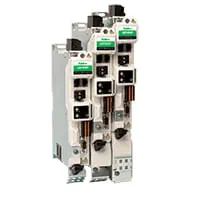
Field tests of the library have been completed with Estun and Control Techniques EtherCAT servo drives; it is compatible with EtherCAT servo drives that support the CiA402 profile.


The videos are from ONX Control's flying shear and rotary knife field applications.
Rotary axes: modulo and seamless position
On axes such as rotary tables, knife drums or conveyors the position is shown in 0–360 (or the configured period) and targets are reached by the shortest path or in the chosen direction. The drive's 32-bit position counter wraps after turning one way for a long time; the Axis block detects this and keeps the continuous position seamless.
Only one block commands an axis at a time
Every axis has a control owner. A homing or motion block takes the axis over only when it is idle or under power control; while another block is active, the target is not touched. Disable and Stop always win. Several blocks connected to the same axis therefore never overwrite each other's commands.
No SoftMotion axis licence required
Axes are driven by X Motion blocks instead of CODESYS's SoftMotion axis definitions. Since the drives are controlled directly through EtherCAT CiA402 objects, no SoftMotion axis licence is required.
Not required
- SoftMotion axis licence (per axis)
- SoftMotion axis definitions (SM_Drive) and MC_ axis blocks
Required
- The controller's CODESYS Control runtime licence
- X Motion lock code: generated for the controller; also activates X CNC Library
Licensing terms may vary with the CODESYS version and controller; your project's licence list is confirmed together at the quotation stage.
Compatibility and companion products
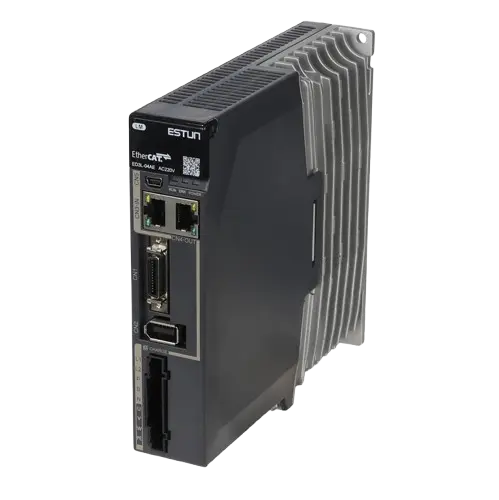
Compatible with EtherCAT servo drives that support the CiA402 profile; field tests have been completed with Estun and Control Techniques drives.

Frequently asked questions
What is X Motion Library?
An axis control library developed by ONX Control for machines based on CODESYS Control RTE. It connects CiA402 servo drives on EtherCAT and provides power sequencing, positioning, jog, homing, stop, electronic gearing and master-based profiles through a uniform set of function blocks.
Which drives does it work with?
It works with EtherCAT servo drives that support the CiA402 profile, in cyclic synchronous position (CSP) mode; full field tests have been completed with Estun and Control Techniques drives. The Axis block maps the control/status word, mode of operation, actual and target position objects (6040h, 6041h, 6060h, 6061h, 6064h, 607Ah) automatically from the EtherCAT configuration.
Is a CODESYS SoftMotion licence required?
No. Axes are driven by X Motion blocks instead of SoftMotion axis definitions, so no SoftMotion axis licence is needed. The controller's CODESYS Control runtime licence and the X Motion lock code are required.
Where is it used in the field?
Axis control in nearly all of ONX Control's flying shear and rotary knife projects is done with X Motion. Field videos of these applications are on the ONX Control YouTube channel.
Can it be tested without a drive?
Yes. With the virtual mode input of the Axis and X_Power blocks the axis runs without EtherCAT or a drive, so motion blocks and application software can be tested before the machine is connected.
How does it relate to X CNC Library?
X CNC Library does CNC path planning and interpolation and drives the axes through X Motion: the position targets produced by the interpolator are passed to the axes with X_FollowPos. The same lock code activates both libraries.
Let's drive your axes with X Motion
Share your controller, drive model, number of axes and motion requirements; we will come back for a demo in virtual mode and adaptation to your machine.